Products

Four software products we build and operate ourselves. Each is described as it stands today, including the ones still in development.

Elavinya

In development

A web platform in which a family, a home-care agency or an employer arranges, delivers, documents and proves care. It starts with home care.

  • Agency workspace. Roles and permissions, contracts, team, calendar, requests, safeguarding, medicines, messages and reports for admins and coordinators.
  • Carer app. Today's visits, check-in, tasks, medicines, notes, messages and availability, on a phone.
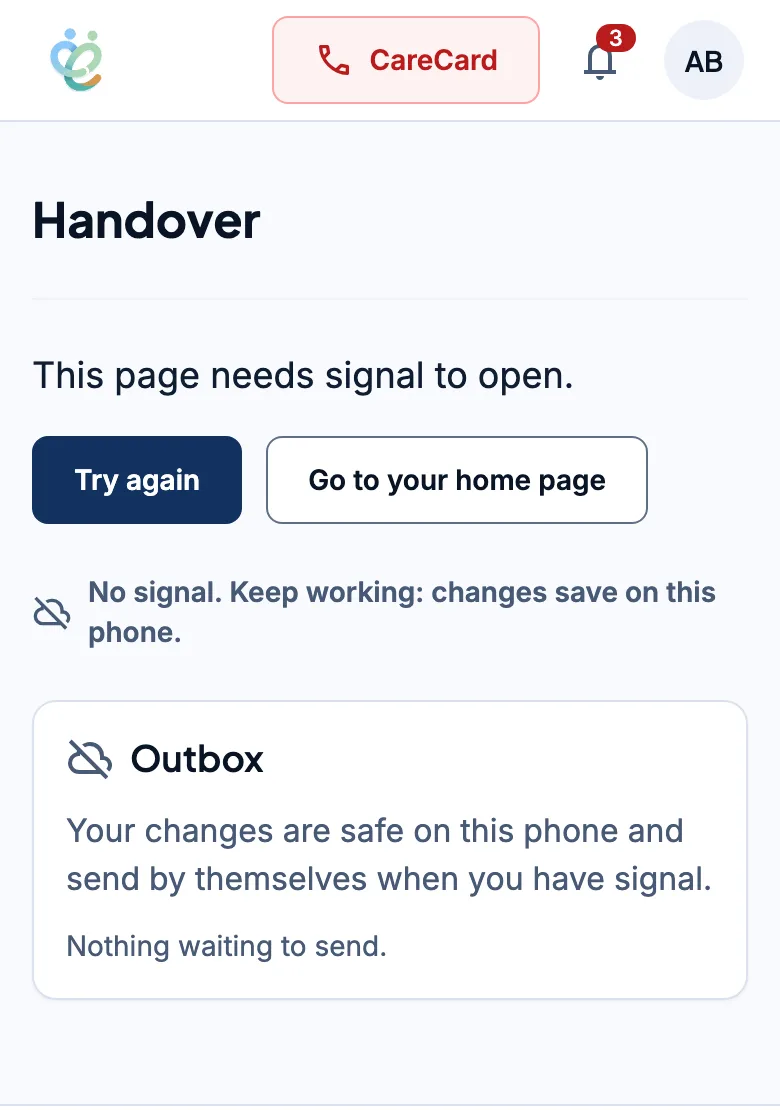
  • Works without signal. Carer screens keep working offline, show what is waiting to send, and surface conflicts instead of losing changes.
  • Family portal. Visits, shared notes, today's medicines, requests, concerns and messages for relatives.
  • Developer area. Documentation, API keys, webhooks and a sandbox for integrators.

It is designed so that access is denied by default, and care records stay in their own jurisdiction and are never put into AI prompts.

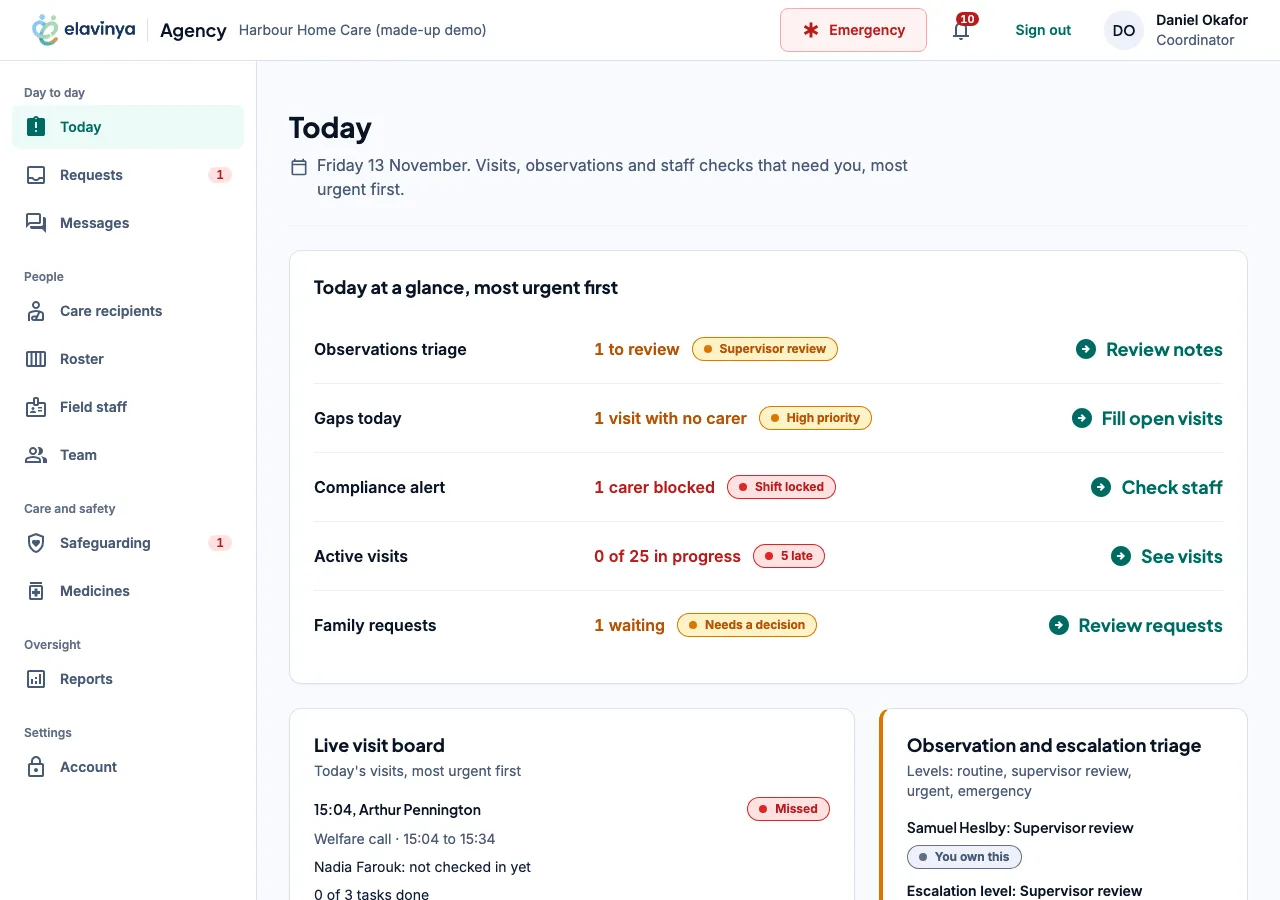
The Elavinya coordinator's Today page for a made-up demo agency: today at a glance, most urgent first, covering observations to review, a visit with no carer, a blocked carer, active visits and family requests.
The Elavinya carer app on a phone with no signal. It says changes save on the phone, and an outbox shows nothing waiting to send.
The coordinator's Today page and the carer app without signal. Both show a made-up demo agency; every name in them is invented.

Learn Some Tech

Open for sign-up

An online learning platform for software engineering and cloud skills, with video lessons, written handbooks, hands-on labs that run and check the learner's code, and certificates anyone can verify.

  • Lesson player. Video that resumes where you stopped, a synced transcript, key points and a quiz marked on the server.
  • Labs. A code playground that runs your code and checks it against the expected result.
  • Certificates. Issued when every lesson is complete and the quiz average reaches the pass mark, with a public link to verify them.
  • Exam preparation. Published exam domains and objectives, each linked to the lessons that teach it, with a readiness score.
  • Spaced review. Questions answered wrongly come back in a personal review queue.

There are also native apps for iOS and Android.

Visit learnsome.tech
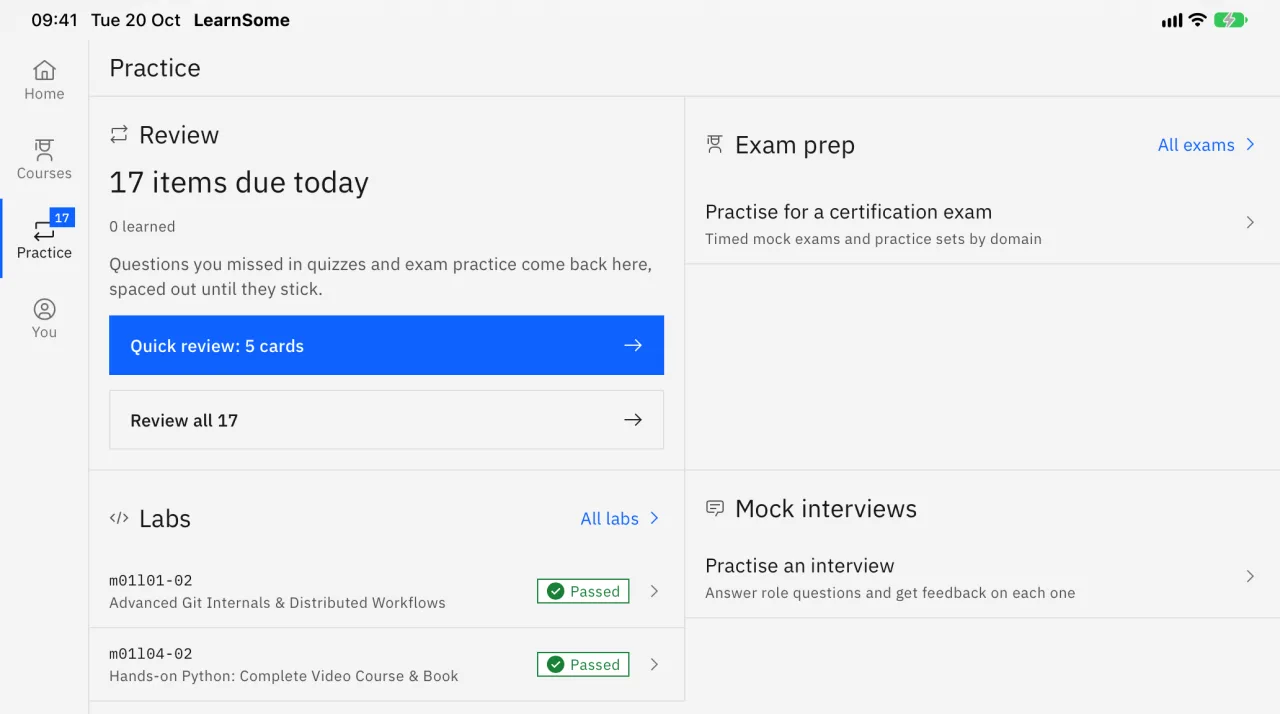
The Learn Some Tech Practice tab on an iPad: a review queue of items due today, exam prep, two labs marked as passed, and mock interviews.
The Practice tab in the iPad app.

Timesifier

In development

A web application for tracking time: a timer and a weekly report for people and small teams who bill or account for their time.

  • Available now. Sign-in with an emailed code, setting up an organisation, and inviting people as owner, admin or member.
  • Built, in review. Leave requests approved by a manager and shown beside worked time.
  • Planned. A timer and manual entries against projects and clients; day, week, month and year views in which every total equals the sum of what is shown; reports by project, client or day, with CSV export.

Its database is in the EU.

Visit timesifier.com

Track your hours. Trust the total.

Timesifier's own line. No screenshot is shown while the product is in development.